

- Plugins
- ConvertKit
Plugins
ConvertKit
Easily grow your email subscribers lists, and send targeted email newsletters.
Introduction
ConvertKit makes it easy to grow your email subscribers lists, sell more products and send targeted email newsletters – all by easily embedding email marketing / email subscriber forms anywhere within your Elegant application.
ConvertKit is an email marketing service built specifically for bloggers and content creators. It makes it easy to build an email list, create email sequences, and send newsletters to your subscribers. This can help bloggers and content creators engage their audience and drive more traffic to their Elegant web application.
Installation & Setup
ConvertKit is automatically configured with all new Elegant applications so you may start using it immediately. To learn how to create a new Elegant application, please consult Elegant’s installation documentation.
Installing ConvertKit into your Elegant application.
If you are interested in using ConvertKit with your Elegant application, you may simply provide an action url string to the NEXT_PUBLIC_CONVERTKIT_ACTION_URL environment variable in your .env file.
NEXT_PUBLIC_CONVERTKIT_ACTION_URL="https://app.convertkit.com/forms/21224410/subscriptions"Finding your ConvertKit Action URL
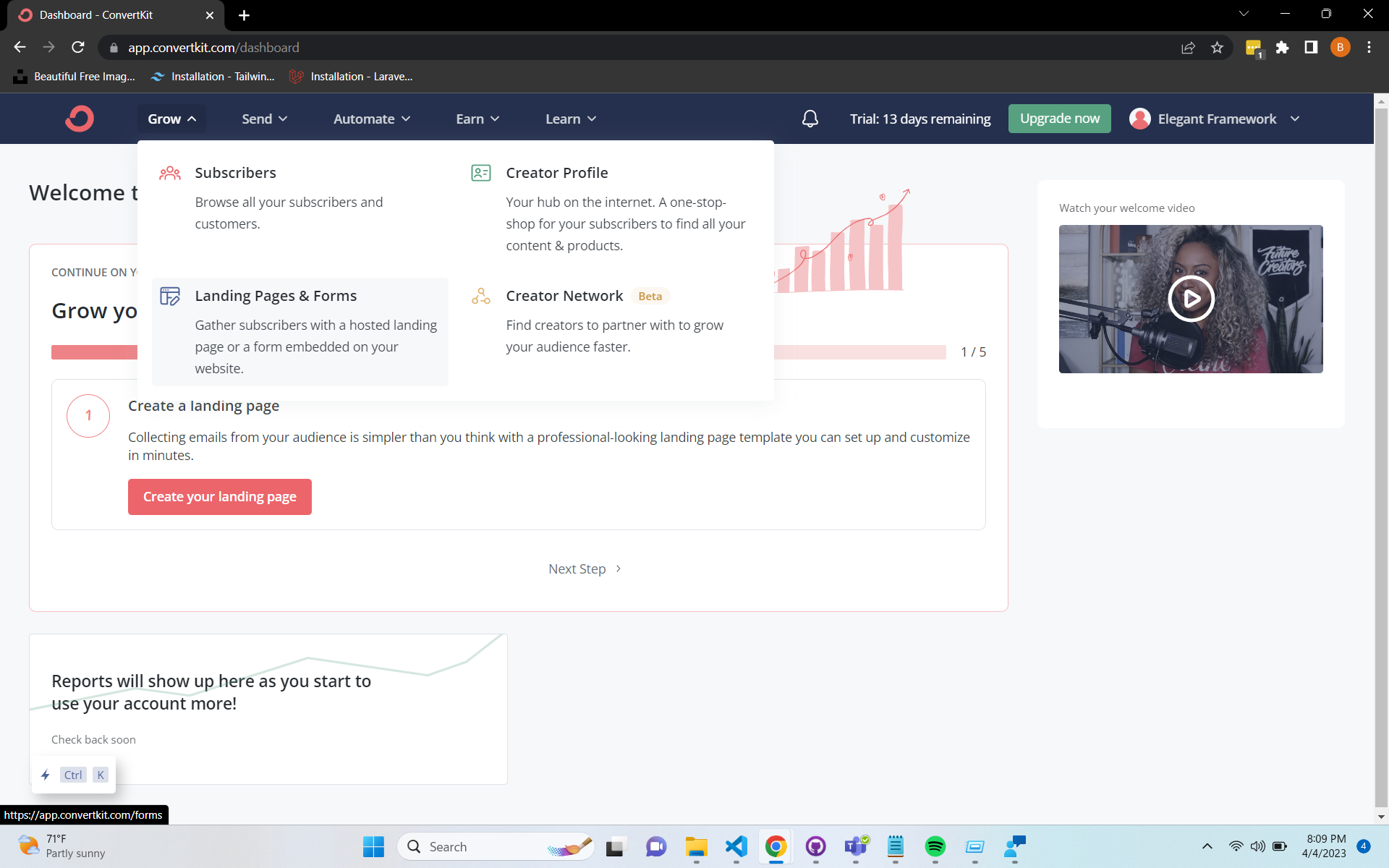
To find your ConvertKit Action Url, navigate to your ConverKit dashboard and click on Landing Pages & Forms.
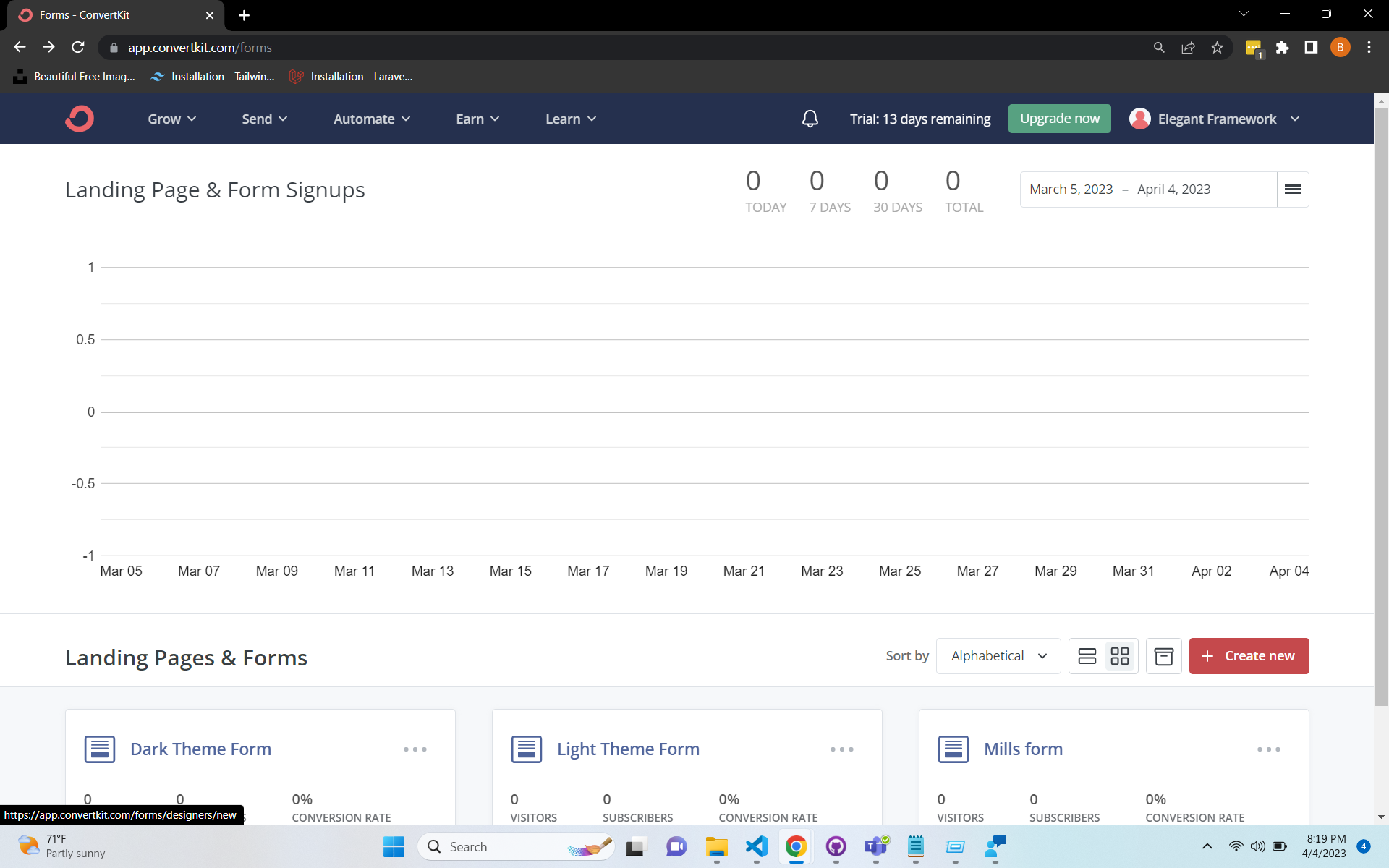
Next click Create new at the bottom righthand side of the Forms page.
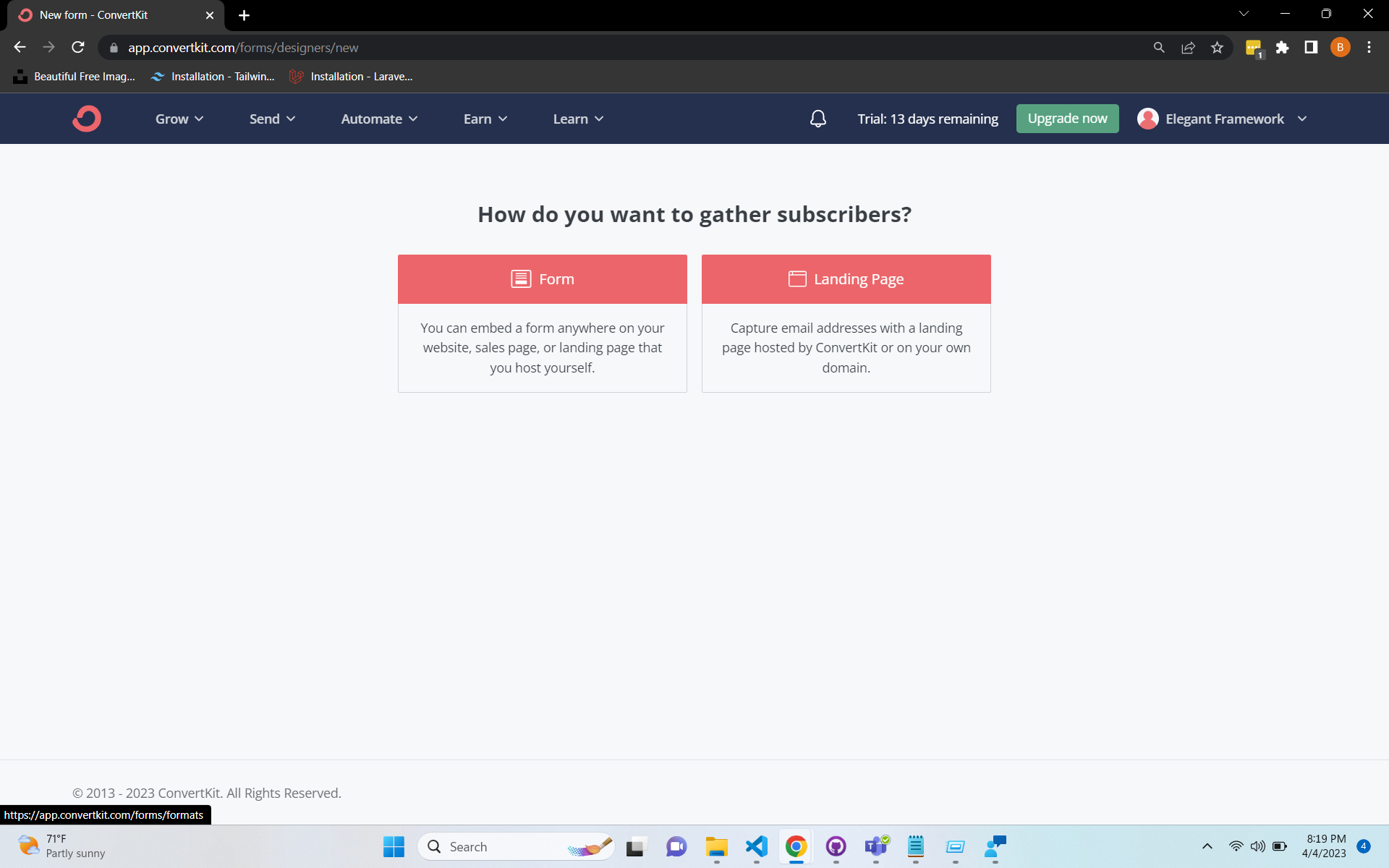
Now click Form on the next page.
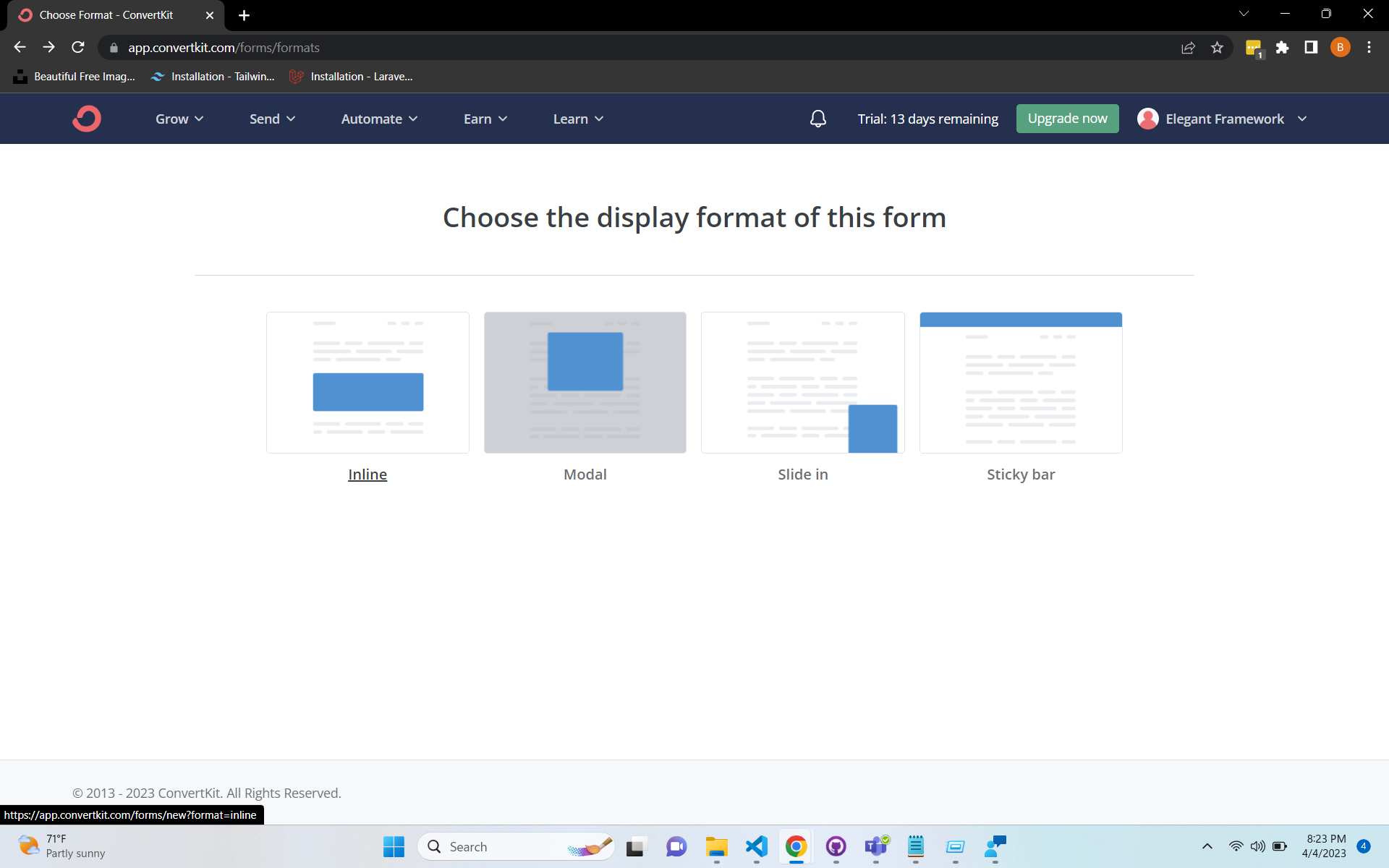
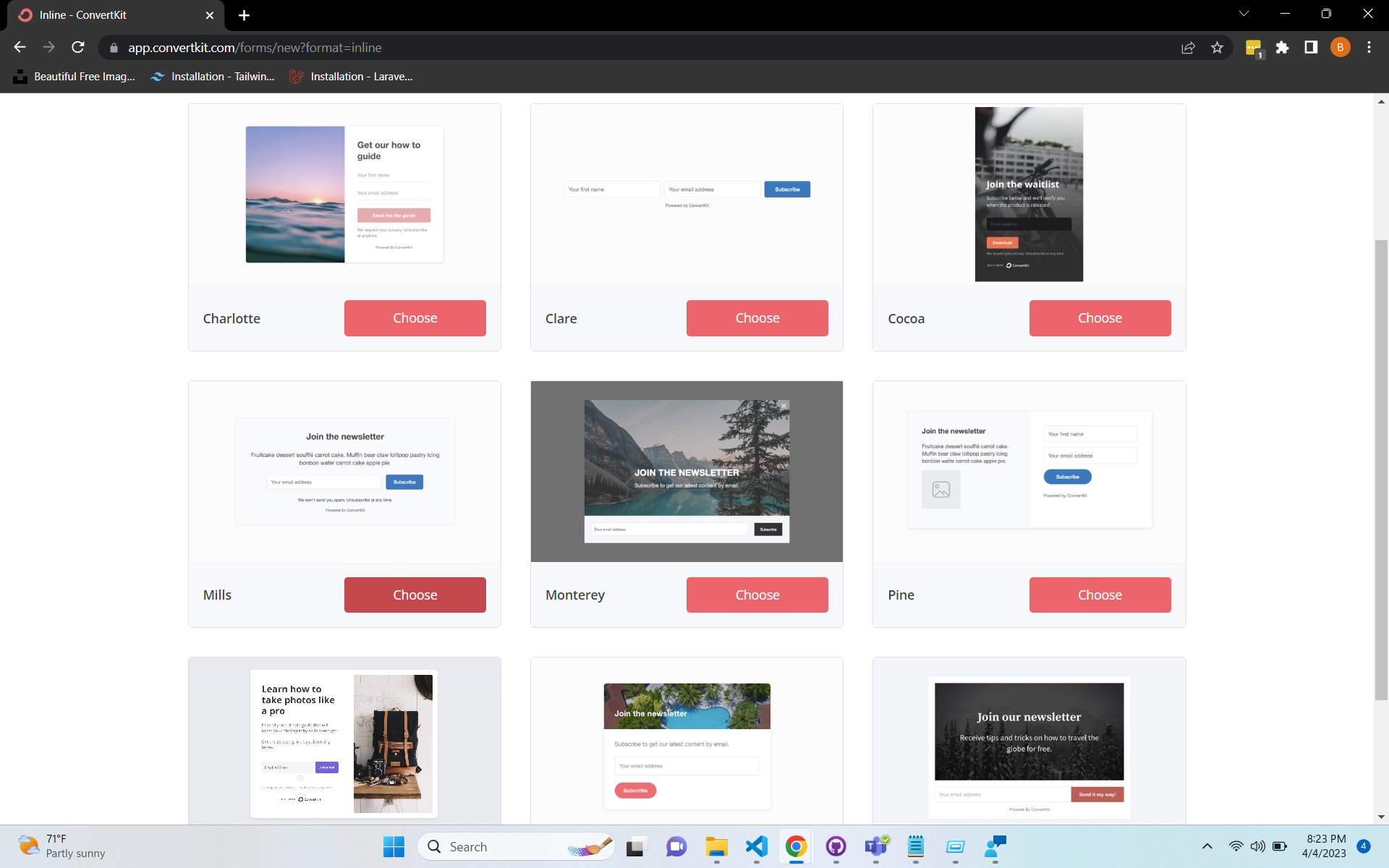
You will be asked to choose the display format of your form. Please select Inline.
Next click the “Mills” newsletter template from the list of available templates.
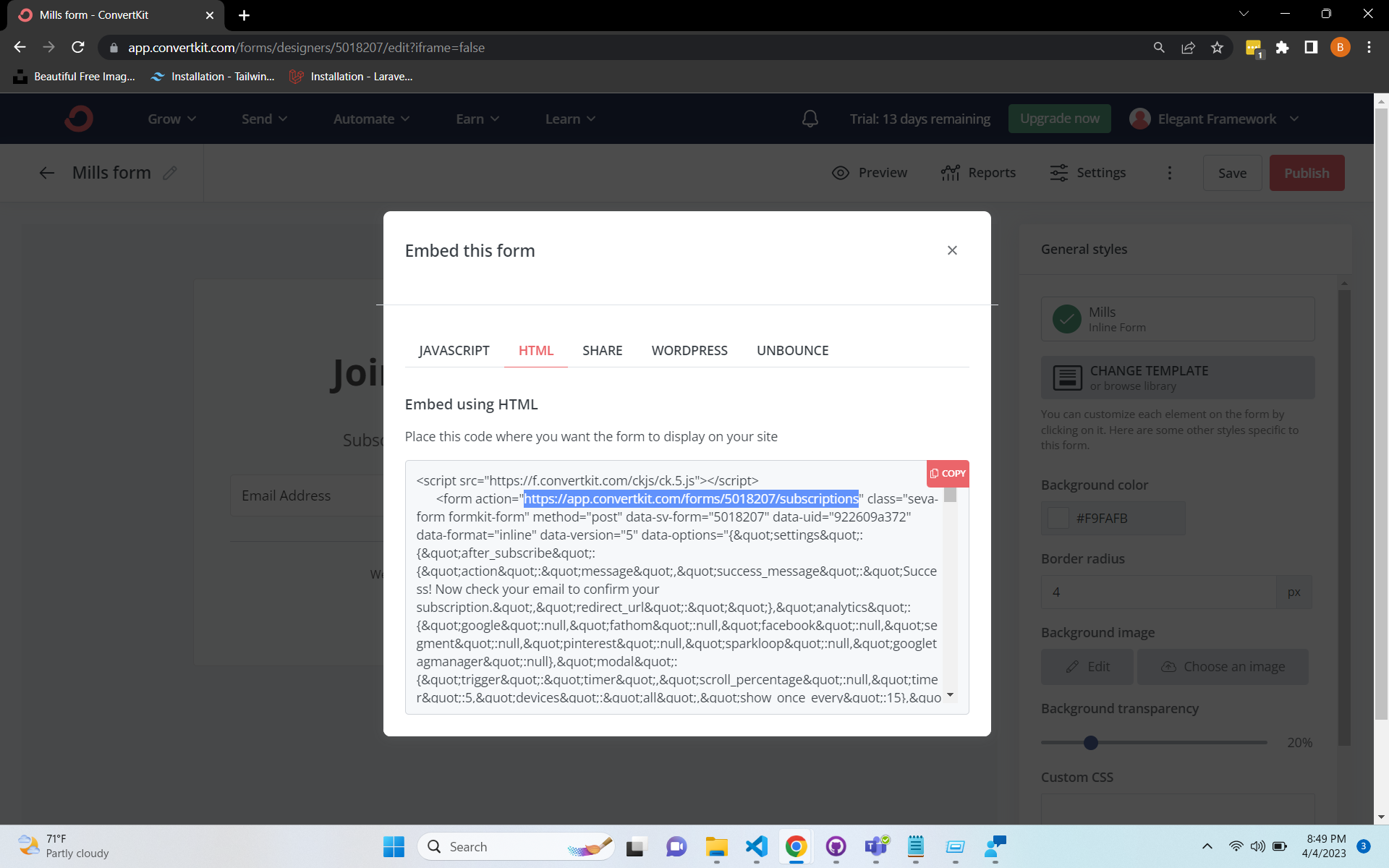
Finally, click Save, and then Publish in the top right hand corner of the page. A modal will popup with a few different tabs.
Select HTML, and your Action URL will be listed in the provided HTML code.
Saving your Action URL to Elegant
Copy the form url from the provided action handler, and paste it into your .env file.
NEXT_PUBLIC_CONVERTKIT_ACTION_URL="https://app.convertkit.com/forms/5018207/subscriptions"